ASP.NET
By default uses ASP.NET the web server Kestrel, but it can also be put behind a reverse proxy.
Minimal Example
WebApplicationBuilder builder = WebApplication.CreateBuilder(args);
WebApplication app = builder.Build();
app.MapGet("/", () => "Hello World!");
app.Run();
Configuration (Builder)

The configuration is very flexible and ASP.NET can be configured from multiple sources which are merged when running.
Logging is configured in appsettings.{ENVIRONMENT}.json, but can also be done via the WebApplicationBuilder
If additionall services should be activated, then this has to be done in the builder (e.g. Razor):
var builder = WebApplication.CreateBuilder(args);
builder.Services.AddRazorPages();
builder.Services.AddSingleton<MyThingy>();
Middleware
A middleware is also called a module and resembles a "processing pipeline".
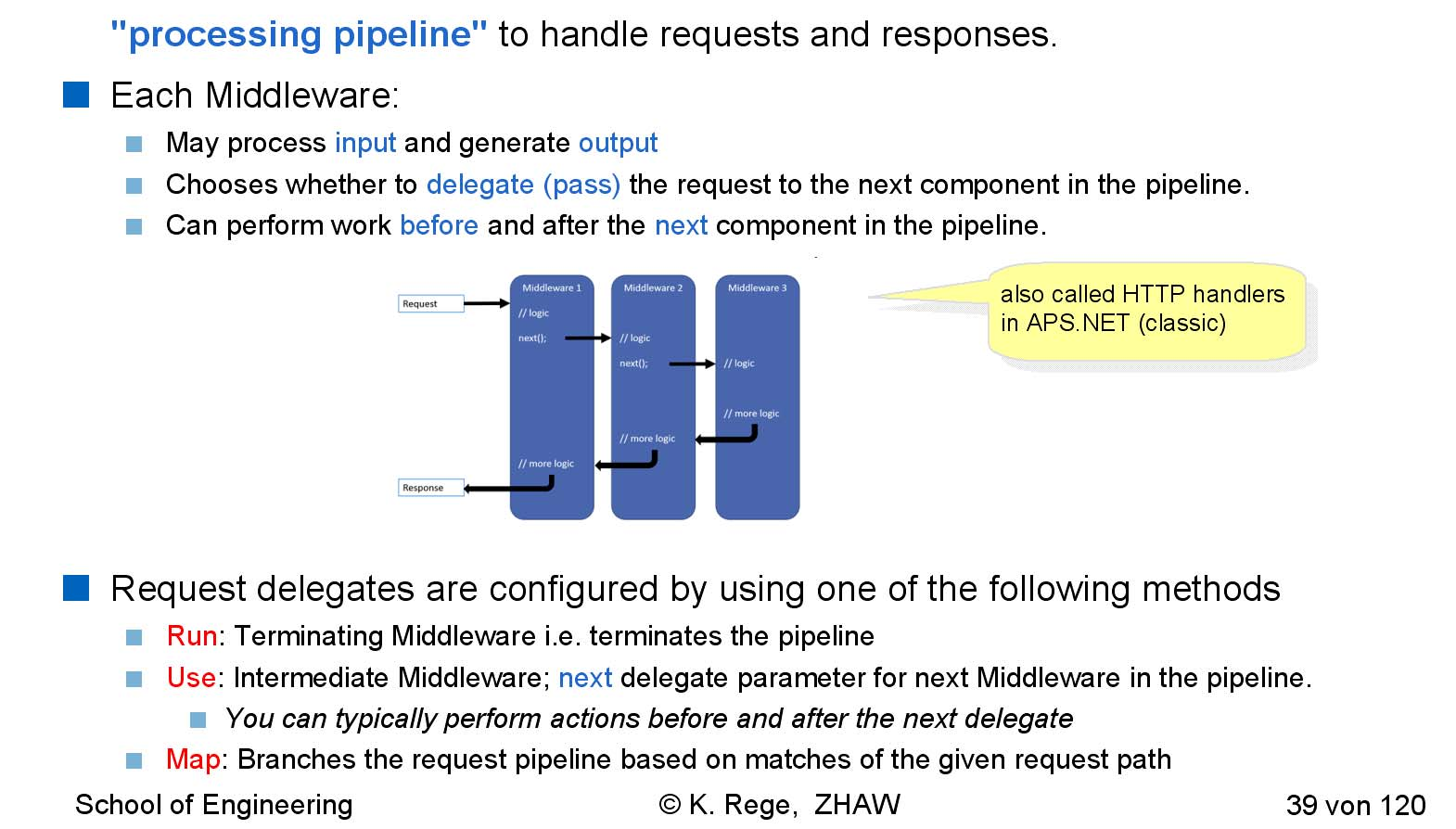
Each middleware may process an input and generate an output. Alternatively, a middleware can delegate (pass) the request to the next middleware in the pipeline.
Middlewares can also have branches and conditionals:
A middleware can, of course, also use a logger:
While middlewares can be programmed directly like above, this isn't very reusable. As such, classes can act as middlewares. They can be registered with builder.Use<MyMiddleware>();
Dependency Injection
Pros:
- Higher flexibility
- Better Testability
Cons:
- Complex Configuration
- Errors in Dependencies cannot be caught during compile time
- Tracing can be hard
Steps to inject a custom class:
- Create an interface (eg.
IMyDependency) - Implement the interface (e.g.
MyDependency) - Services are registered with
builder.Services.Add<MyDependency>() - The service can now be used in the constructor. The system will instantiate it when necessary.
public interface IMyDependency {
    Task WriteMessage(string msg);
}

public class MyDependency : IMyDependency {
    ...//TODO add example code
}
There are also scoped dependencies, which are created per request.
MVC
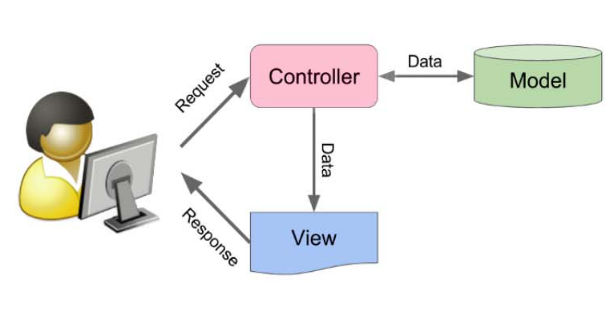
-
Model Performs the user action and retrieves results of queries
-
View Has very little or no code
-
Controller
Routes the request, chooses the view and provides the view with a model
Controller
The controller is a class which extends Controller and implements the routing.
//TODO add example
public class HelloWorldController : Controller {
    public string Index() {
        return "This is my default action..."
    }
    //TODO
}
The model can be specified in the methods of the Controller for the model to be injected.
Model
View
Routing
There are two ways to specify the routing: Convention-based routing and attribute routing.
Convention-based Routing
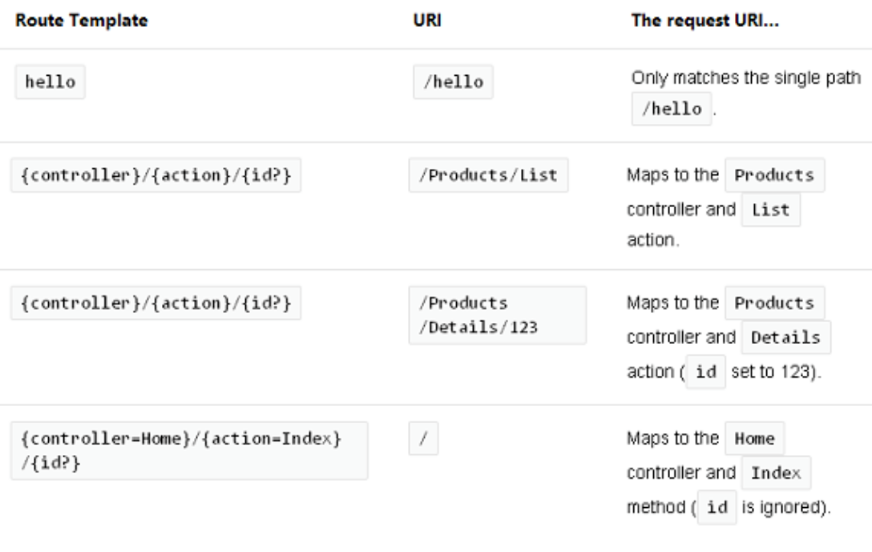
Convention-based routing defines a pattern for an URL. This is also called central routing.

In the example above the default controller is Home and the default action (method) that is invoked is Index. Futhermore there is an optional parameter id.
app.MapControllerRoute(name: "default", pattern: "{controller=Home}/{action=Index}/{id?}")
    //TODO complete example
Here are some examples:
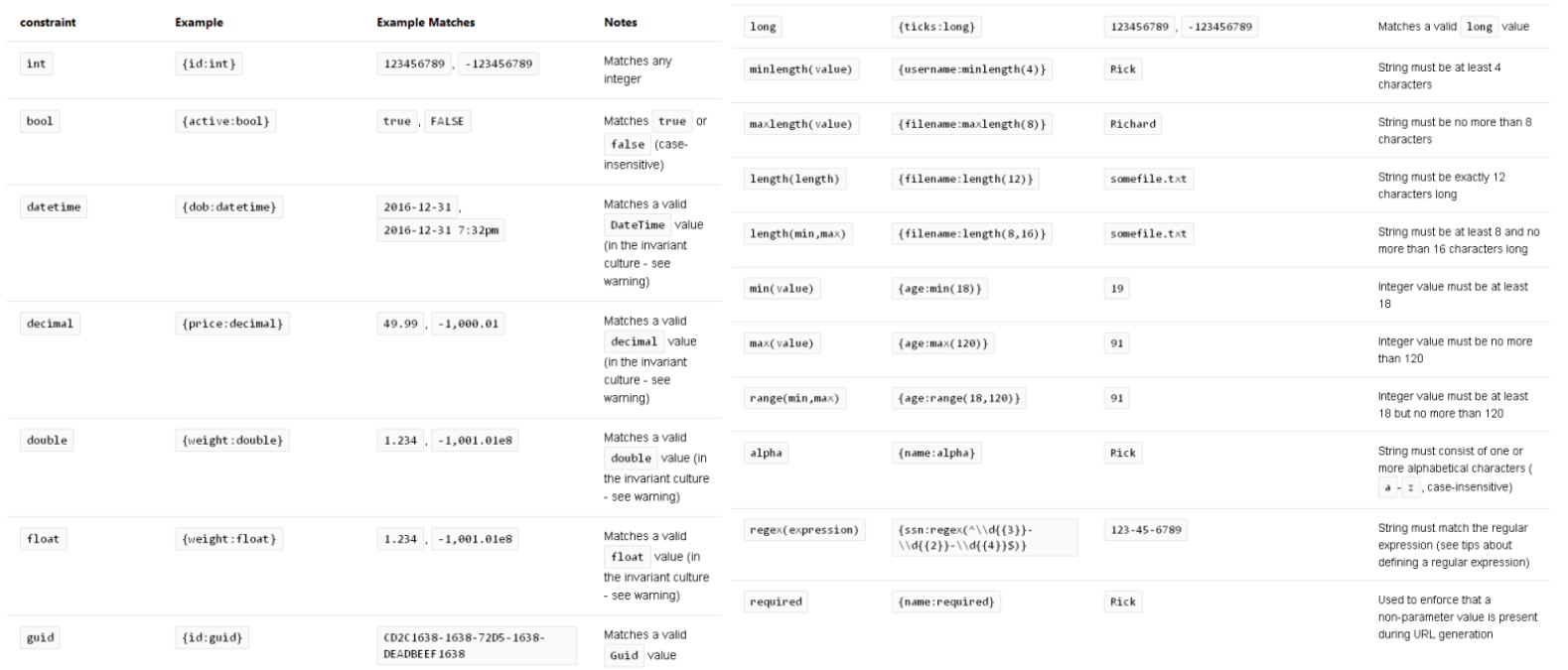
The following shows some constraints and example. If the constraint fails, a 404 is returned.
Attribute Routing
Routing can also be configured with attributes.
//TODO
[Rout("api/[controller]")]
public class ProductController : Controller {
    [HttpGet("{id}")]
    ...
}
Web APIs/REST
gRPC/Protocol Buffer
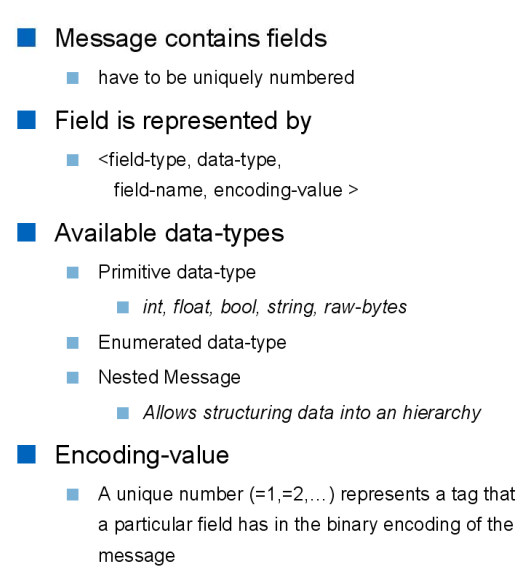
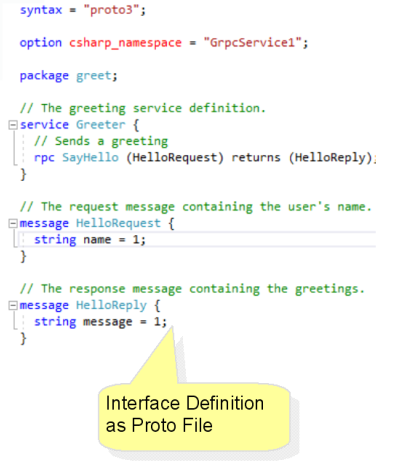
gRPC provides a language- and platform-neutral mechanism to specify and serialize data. To archive this, an IDL (interface design language) is provided. This IDL can be compiled to different languages.
IDL
syntax="proto3";
package tutorial;

message Person {
    string name = 1;
    int32 id = 2;
    string email = 3;

    enum PhoneType {
        MOBILE = 0;
        HOME = 1;
        WORK = 2;
    }

    message PhoneNumber {
        string number = 1;
        PhoneType type = 2;
    }

    repeated PhoneNumber hpone = 4;
}