Runtime Environment
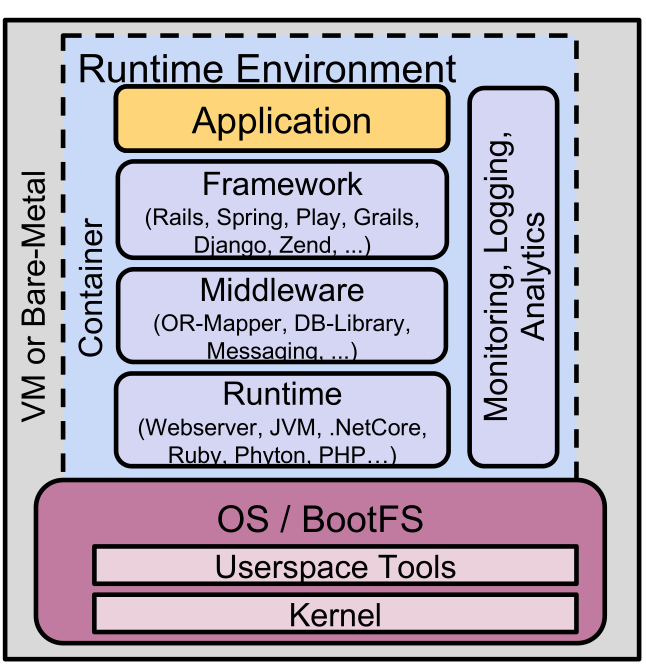
The runtime is the component which executes our application. The runtime environment contains all the components required to run the application.
Using containers for the runtime environment has many benefits:
- it relieves the devs and ops teams from worrying about the specific details of the machines and OSes
- It allows for rolling out new hardware and/or upgrading the OS with minimal impact on the application
Open Container Initiative (OCI)
OCI is an industry standard to define containers.
The OCI Image spec specifies the file format of the bundled file system (image manifest (metadata, dependencies, ...), FS layers, image configurations (env variables, arguments)).
The OCI runtime spec details how an image can be started and run. There are multiple implementations of the OCI runtime specification.
OCI Images
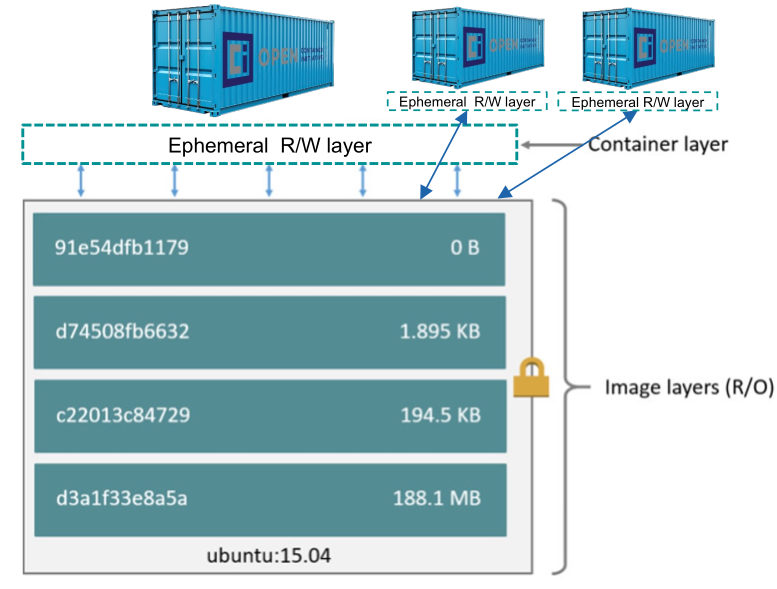
OCI images are structured into a series of read-only layers. These are identified by a SHA-256 hash. Importantly, each layer is an image and overlays the previous layer. The final layer at the bottom is called the base image.
When this image is being run, an ephemeral R/W layer is mounted on top. This layer is removed when the container is stopped.
Multi-Stage Dockerfiles
Multi-stage dockerfiles allow multiple independent parts of the dockerfile. This allows us to compile the application in a stage and then copy the application over to the final stage. This reduces the image size drastically.
With FROM maven:3.9.6-eclipse-temurin-21 as build, a stage named build is declared. In another stage, with COPY --from=build $JAR_FILE /app/runner.jar, files can be copied from the referenced stage
The following Dockerfile uses multiple stages:
FROM gradle:8.7-jdk21 AS build
WORKDIR /home/gradle/app
COPY --chown=gradle:gradle ./src ./src
COPY --chown=gradle:gradle *.gradle ./
RUN gradle --no-daemon assemble

FROM eclipse-temurin:21-jre
COPY --from=build /home/gradle/app/build/libs/*.jar /app/
CMD java -Xmx300m -Xms300m -XX:TieredStopAtLevel=1 -noverify -jar /app/runner.jar
EXPOSE 8081
Pros/Cons Docker Files
- Pros
- Very flexible & extensible
- A lot of base images
- Widely supported
- Cons
- Difficult to control image sources and their trustworthiness
- Time-consuming to keep images up-to-date
- Allows dangerous functions (allows for arbitrary code execution)
- Images can get big
Buildpacks
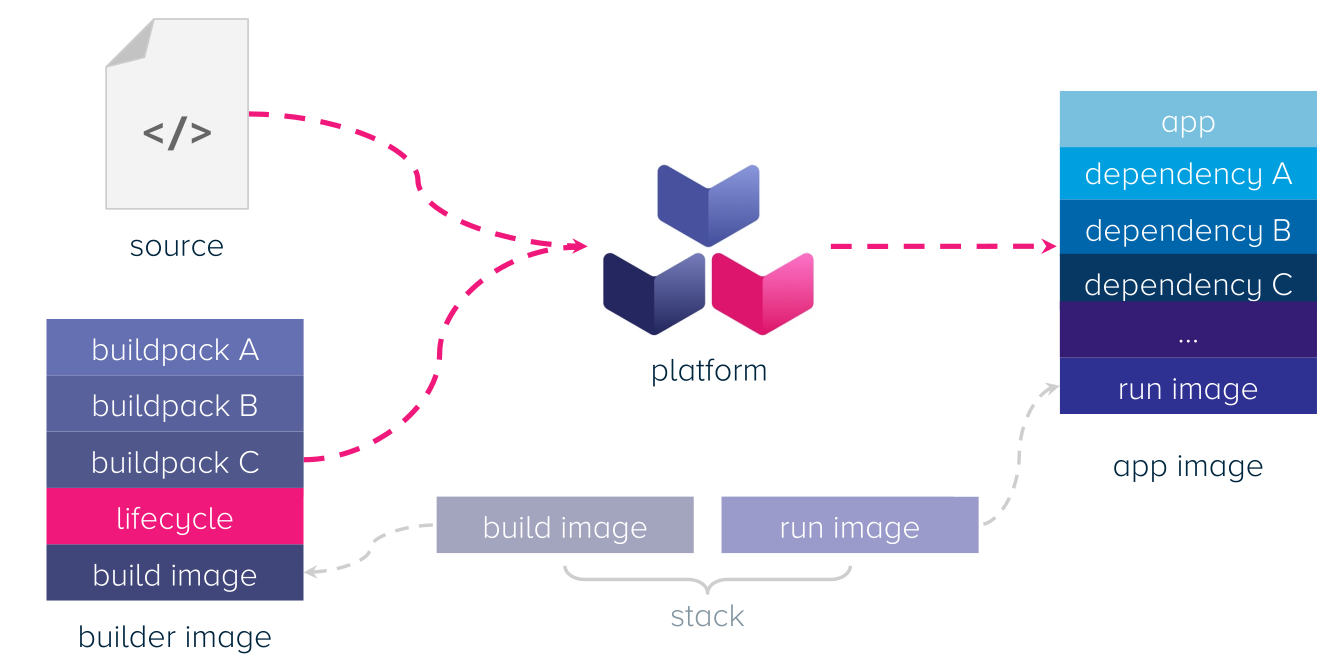
Buildpack scans the application and based on this, builds an OCI image. The platform provider creates and controls the base image, meaning that they can be trusted.
The build image is the base image to the builder image, which is used to build the source code. The builder image creates the run image, which is then run. Build images and run images come in pairs.
Each buildpack in the builder image is a unit work which analyses the application (e.g. is this a java app, does it used maven/gradle, is it a spring boot app, ...)
The following shows the different phases the lifecycles runs:
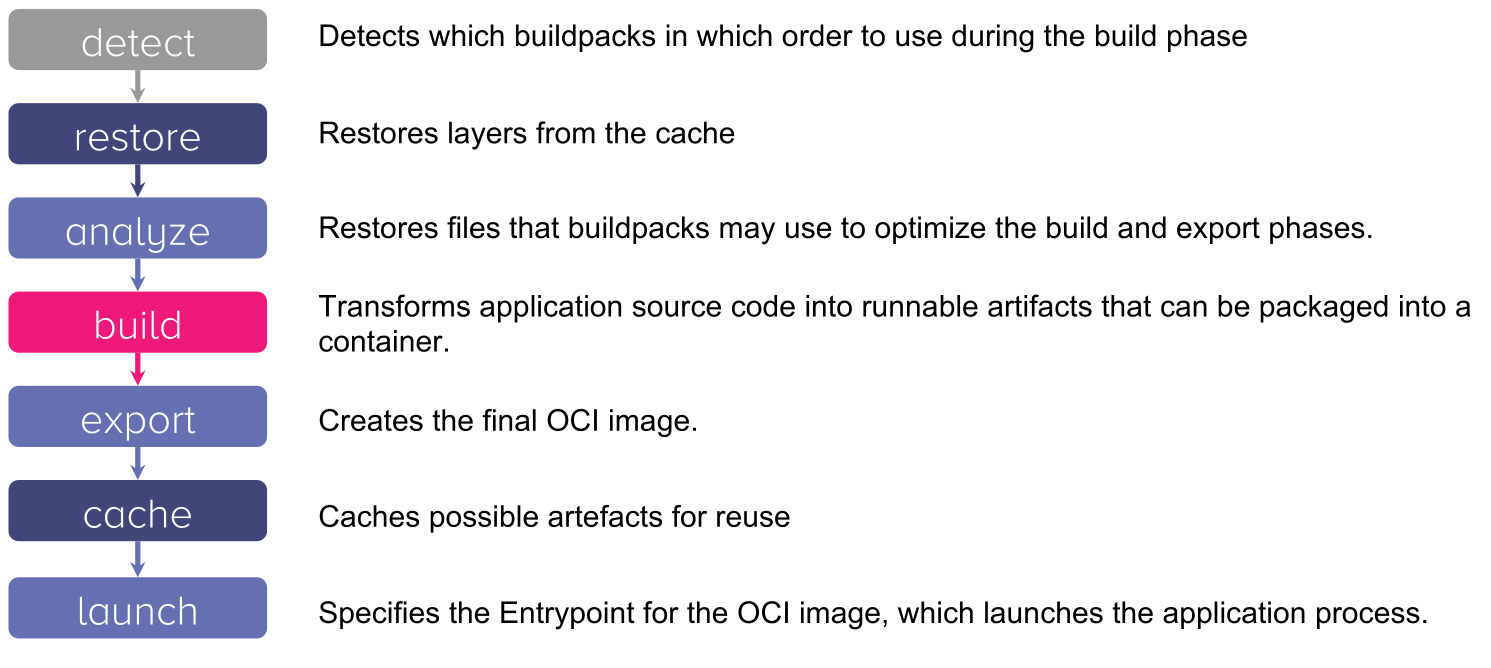
detectThedetectphase tests which groups of buildpacks are applicable to the app. This is done in an order and the first group that applies will be used (this allows to deal with situations, like both yarn and npm use thepackage.jsonfile, but yarn has an additional file)buildThebuildcommand of each buildpack in the selected group is executed. This gets written into thelayer.tomlfile to cache this
Rebase Image
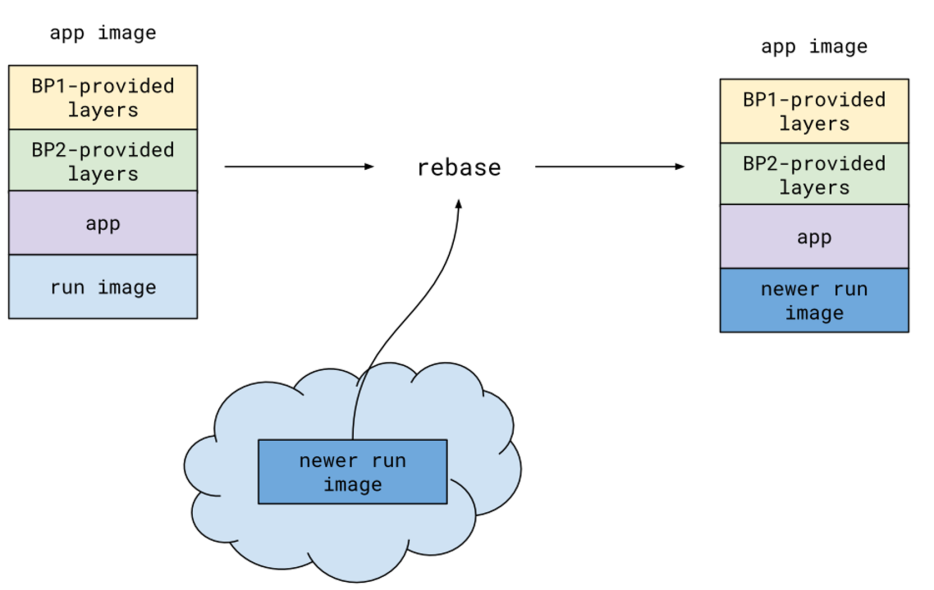
Rebasing allows to switch a layer in the image. If for example the base image has a vulnerability, its layer can be replaced without having to re-building every image. Furthermore, this can be done by the platform team, without having to talk to each dev team.
Application Stack
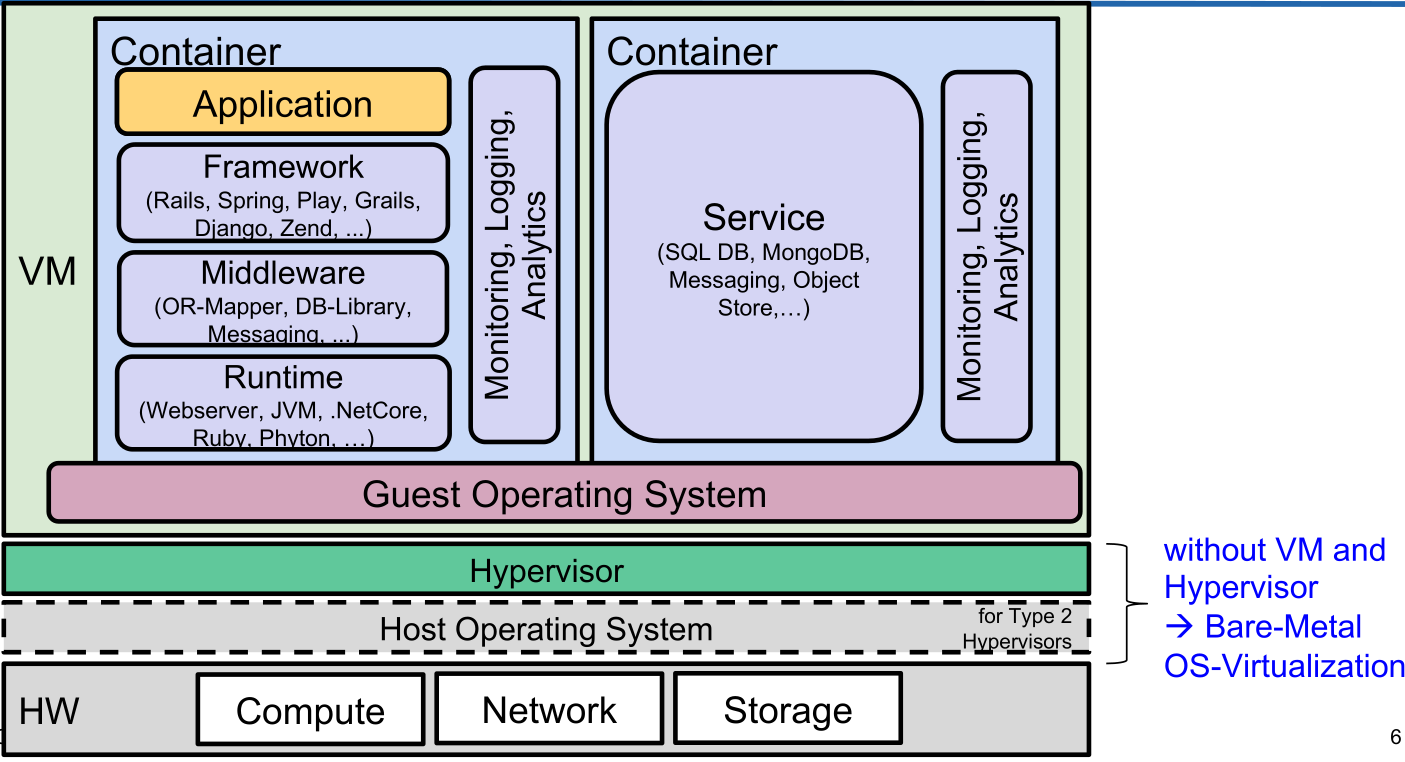
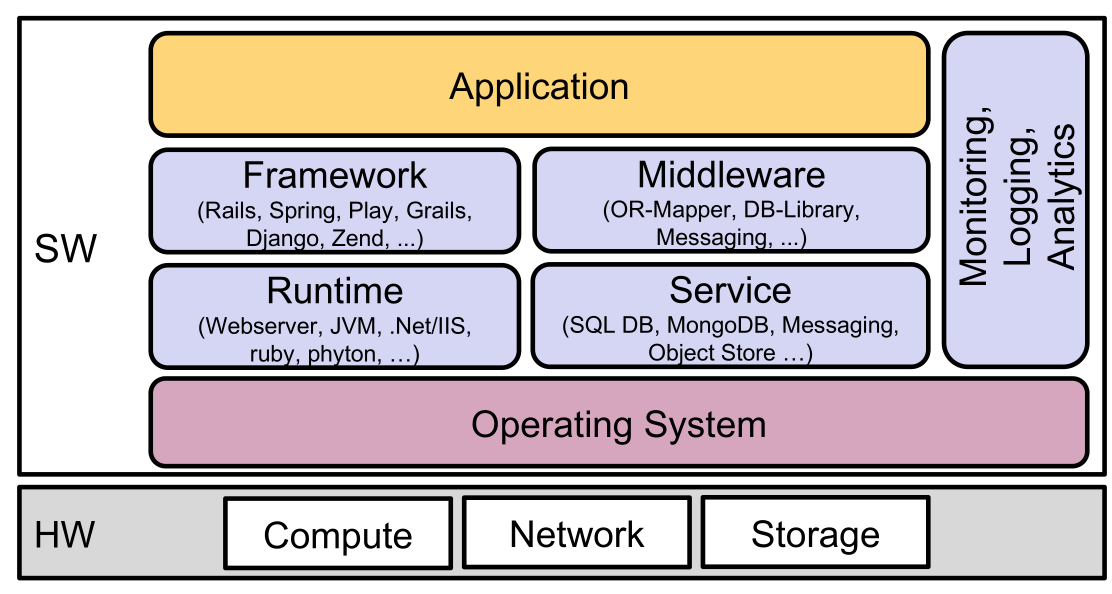
The following diagram shows the application stack, when run on bare-metal.
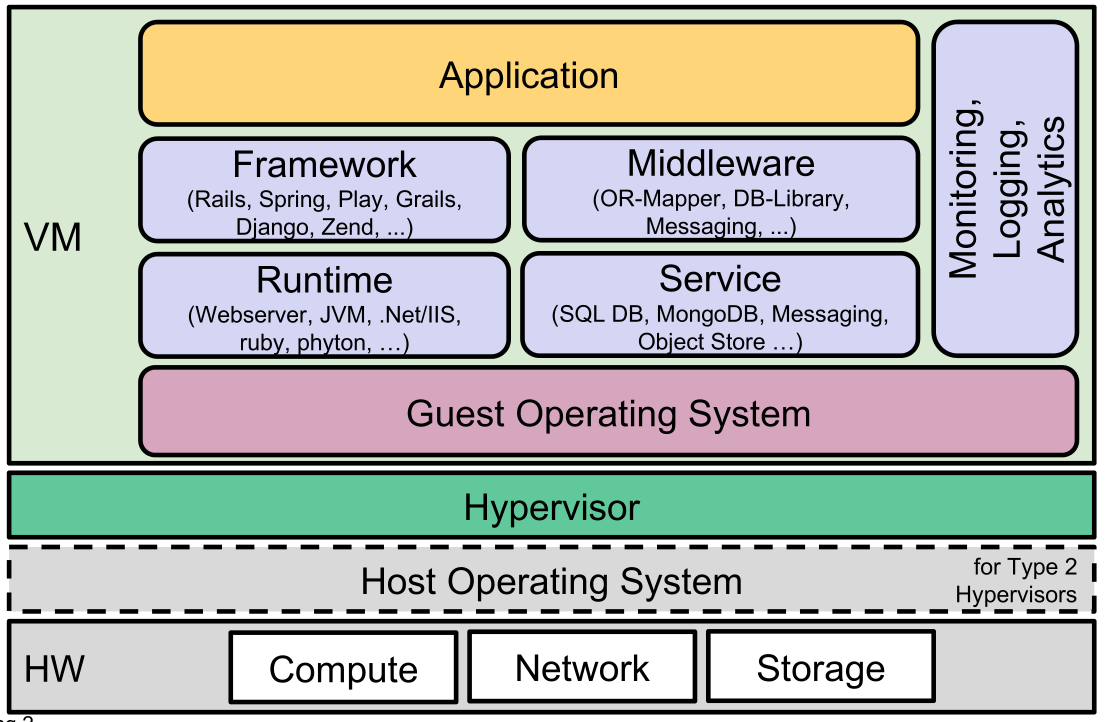
If the stack is run in a VM:
The application and services can be put into containers to create the following diagram: