Certificates
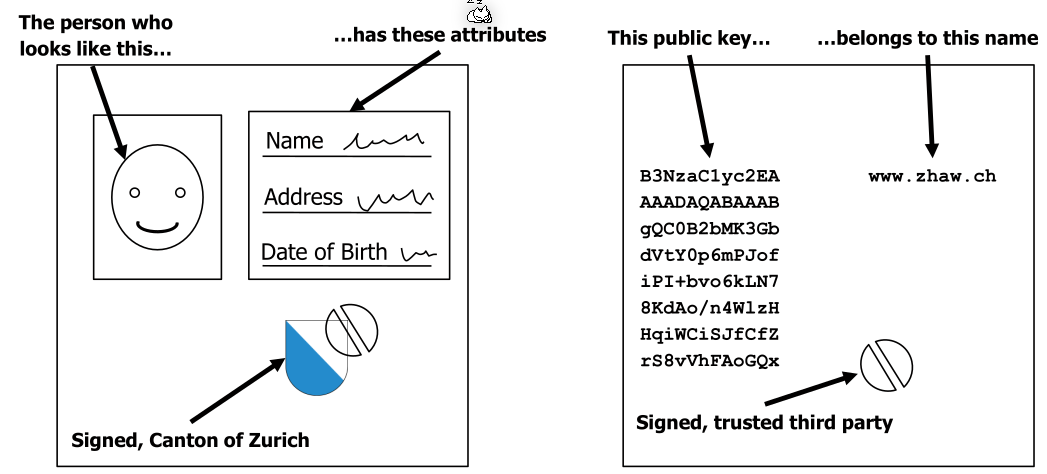
Certificate Chains
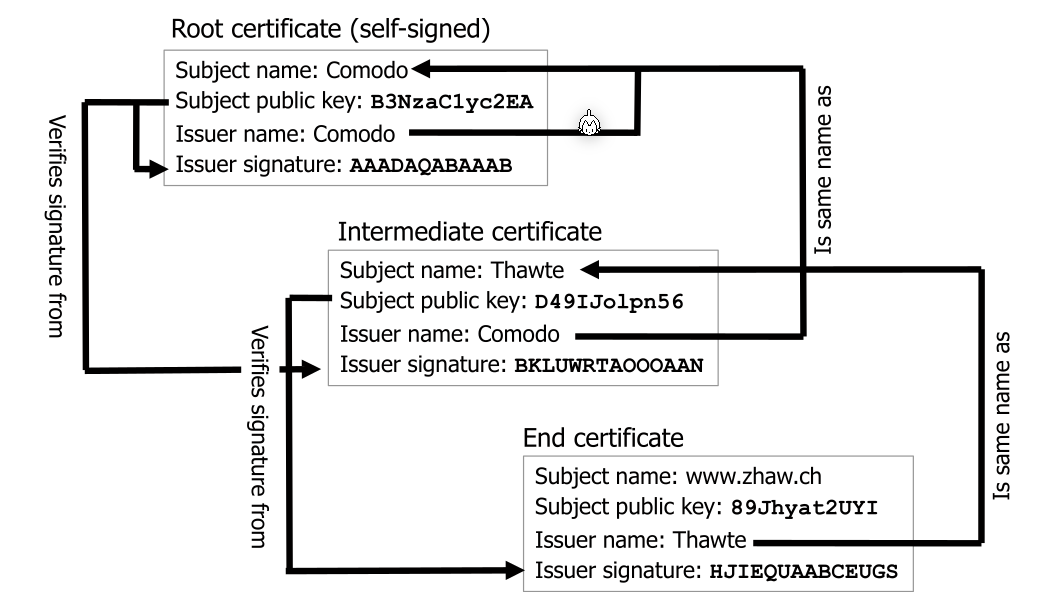
All certificates, except the root certificate, are sent by the web server. Each certificates authority can be checked by verifying it with the previous certificate in the chain.
Root certificates are self-signed as they are signed with itself.
The root certificates are prepacked with the browser or the OS. If there is a breach of a CA, the browser or OS needs an update.
Obtaining a Certificate
- Alice creates a key pair (\(K_{www.alice.com, pub}\), \(K_{www.alice.com, priv}\))
- Alice sends a Certifficate Signing Request (CSR) containing (www.alice.com, \(K_{www.alice.com, pub}\), \(K_{www.alice.com, priv}\)) to her CA of choice
- The CA verifies that Alice really owns www.alice.com
- The CA signes Alice's CSR giving the signature \(S=\mathrm{sign}(CSR, K_{Trent, priv})\)
- The CA now puts the following together into a certificate:
- The subject name: www.alice.com
- The subject public key \(K_{www.alice.com, pub}\)
- The issuer name: The name of the CA
- The issuer signature \(S\)
- Alice pays the CA and the CA sends the certificate to Alice
Verifying a certificate
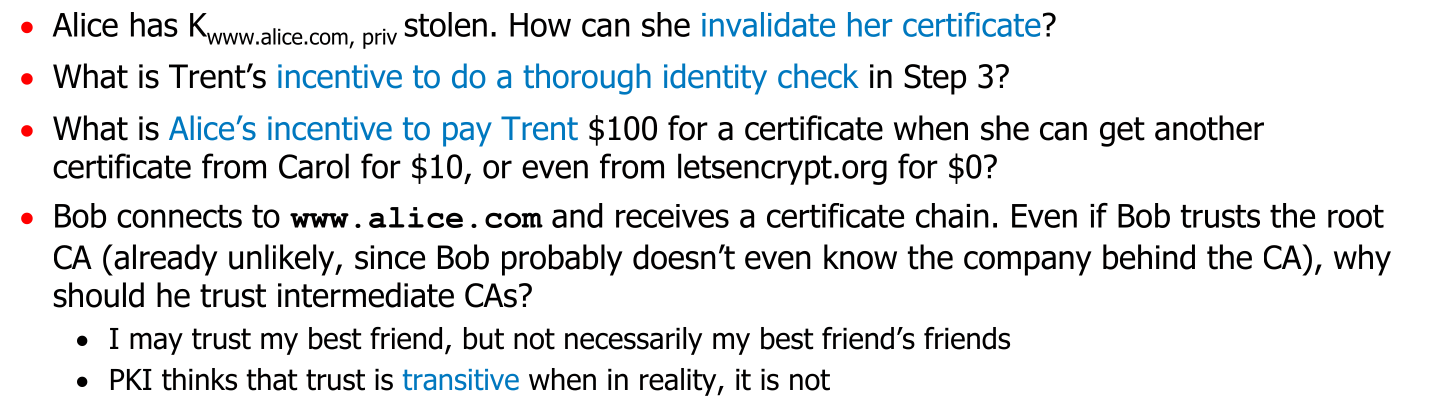
To very the signature of a certificate, one needs to have the public key of the certificate authority (CA). However, this certificate needs to be verified as well.
- Bob connects to www.alice.com
- The server sends the certificate chain to Bob (except the root certificate). The chain has the certs \(C[1], ..., C[n]\), where \(C[1]\) is Alice's certificate.
- Check that \(C[1].name = www.alice.com\)
- for i = 1 to \(n-1\)
- Check that \(C[i].issuer = C[i+1].subject\)
- Check that \(C[i].signature\) can be verified with \(C[i+1].publicKey\)
- Check that \(C[i]\) is currently valid
- Locate the root certificate \(R\) with \(C[n].issuer = R.subject\). If no root certificate can be found, fail
- Verify \(C[n].signature\) with \(R.publicKey\)
- Verify \(R.signature\) with \(R.publicKey\) (since \(R\) is a self-signed root certificate)
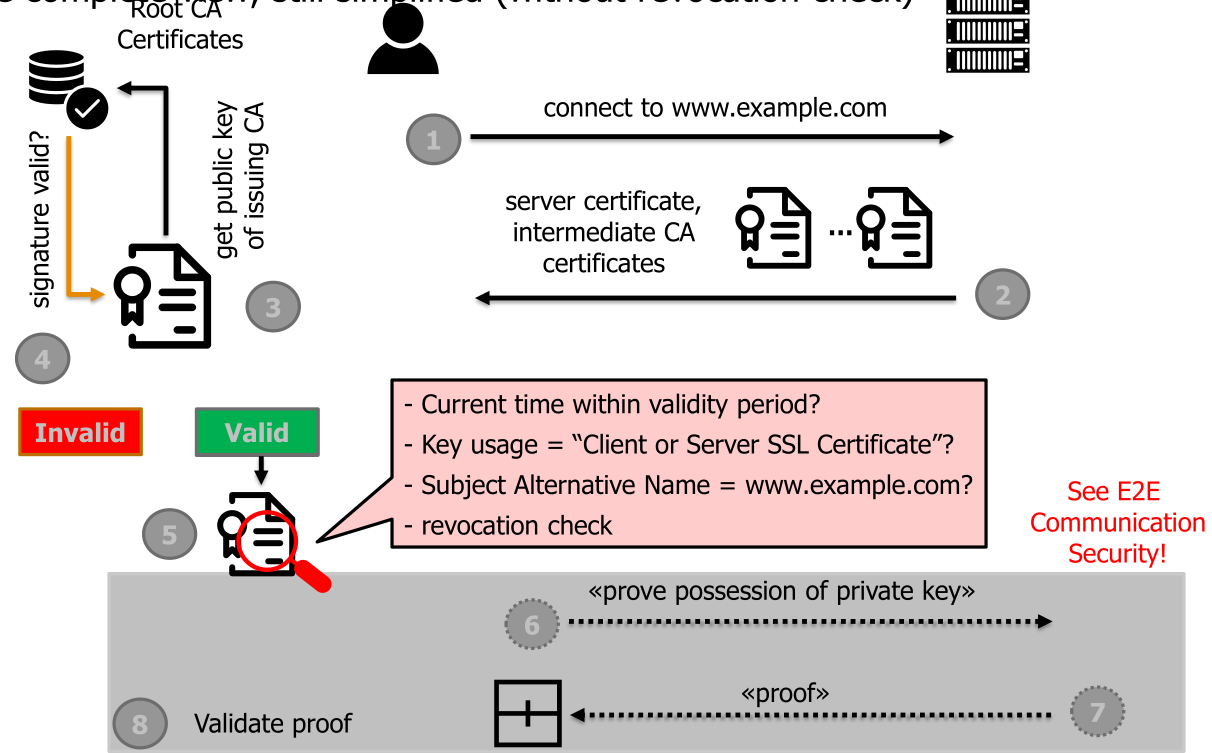
The following graphic also shows the flow of information when verifying a certificate:
What can go wrong?
X.509
X.509 relies on ASN.1, the 1988 version of JSON.
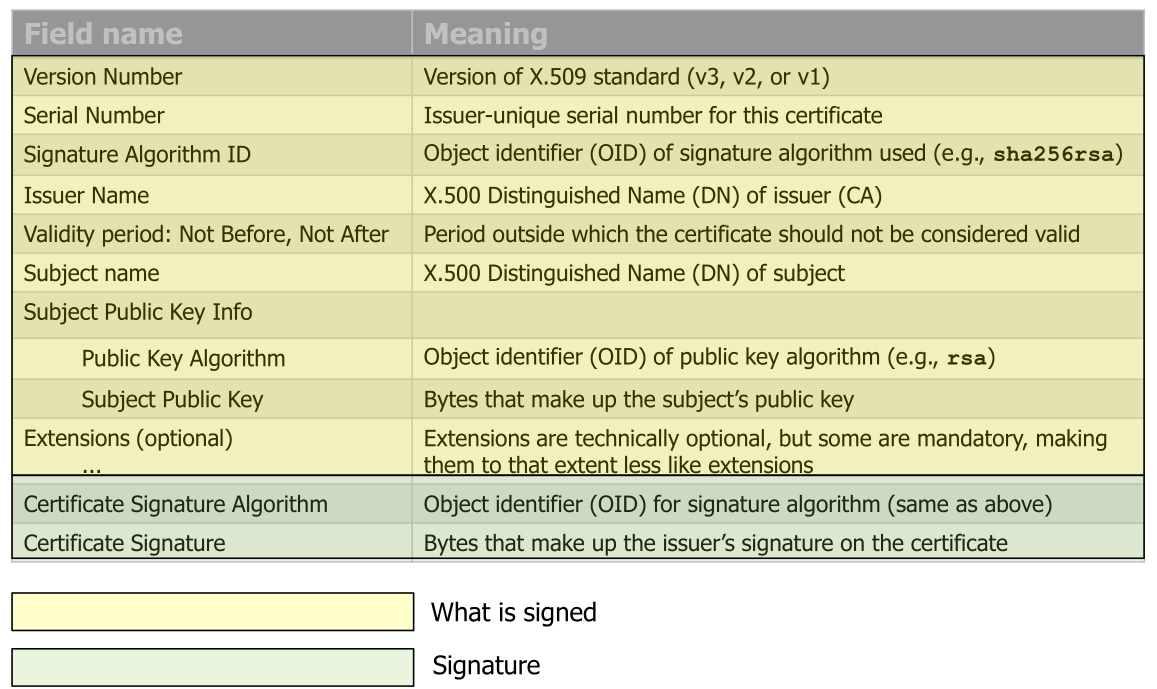
The yellow part is signed with the green part.
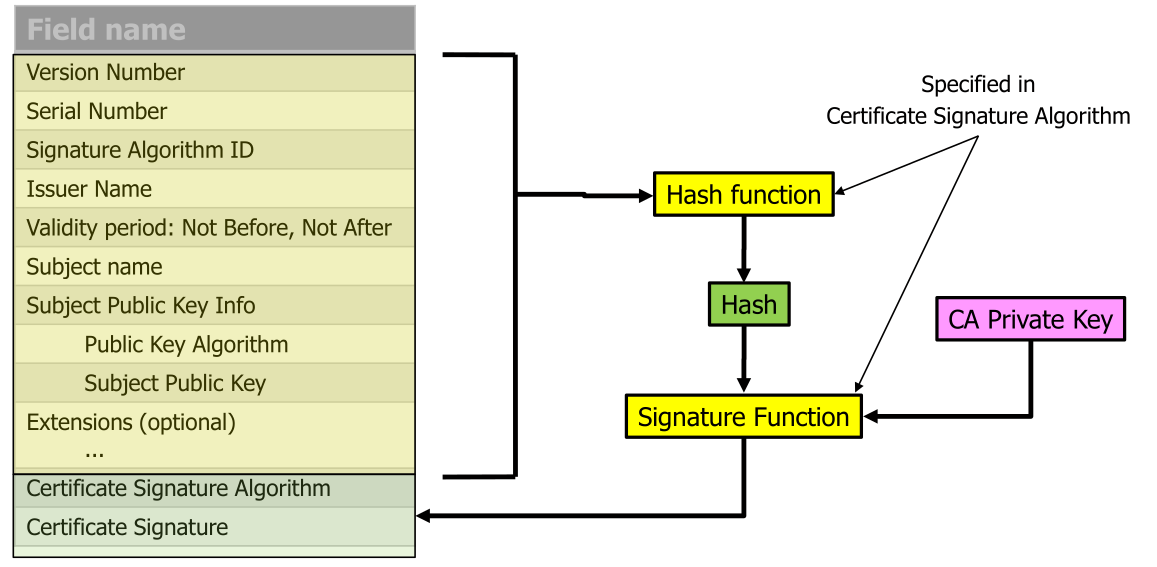
Notes:
- Names are specified with attributes to disambiguate different subjects:
CN=Janet,O=International Business Machines Corporation,OU=Accounting,C=Switzerland - This is similar to MAC-then-encrypt
Types
- TLS certificate
- Domain Validation (DV) Only validates the domain, but not who operates it. This is essentially what Let's Encrypt does.
- Organization Validation (OV) Verifies the data of the organization
- Extended Validation (EV) Verifies additional things about the domain.
- Code signing certificate Confirms authenticity of software or files
- Client certificates
- Digital ID that identifies individual user/machine
- Used for email signatures or access control
Certificate Transparency
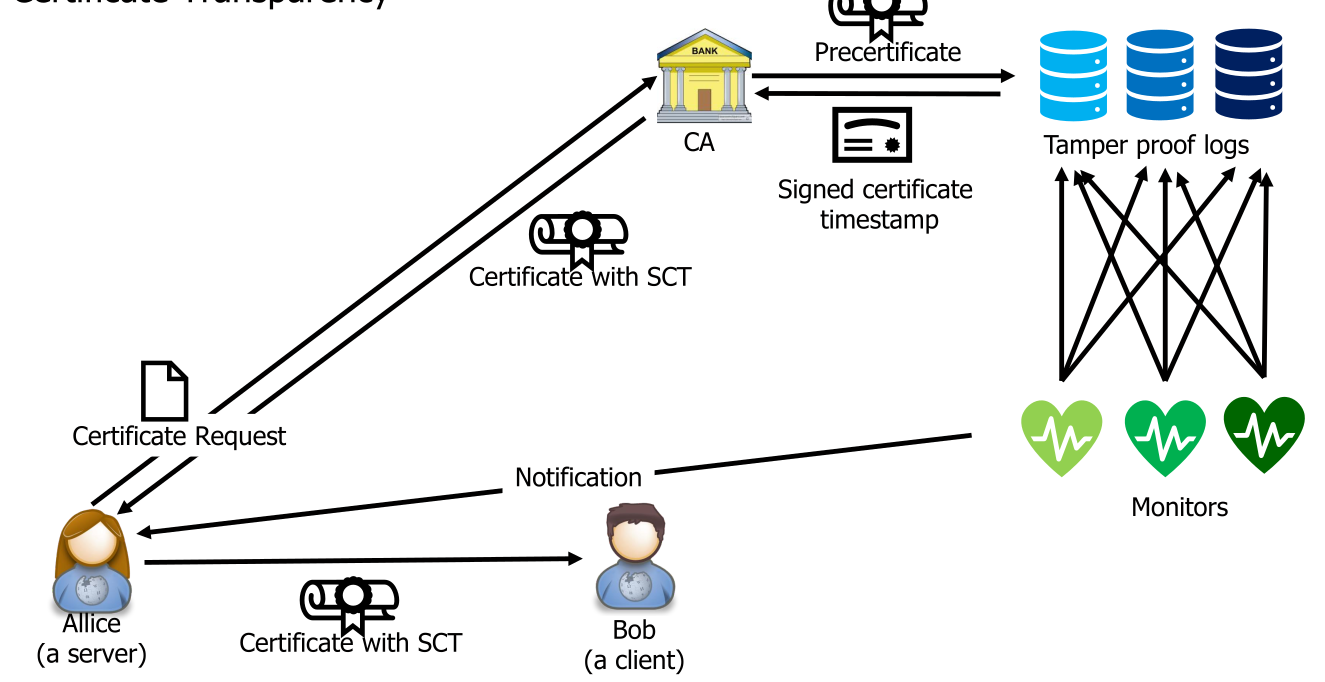
The logs of certificate are append only, cryptographically assured and publicly auditable. Monitors monitor all logs and report any suspicious certificates. User agent only accepts certificates registered in the logs.
Certification Revocation
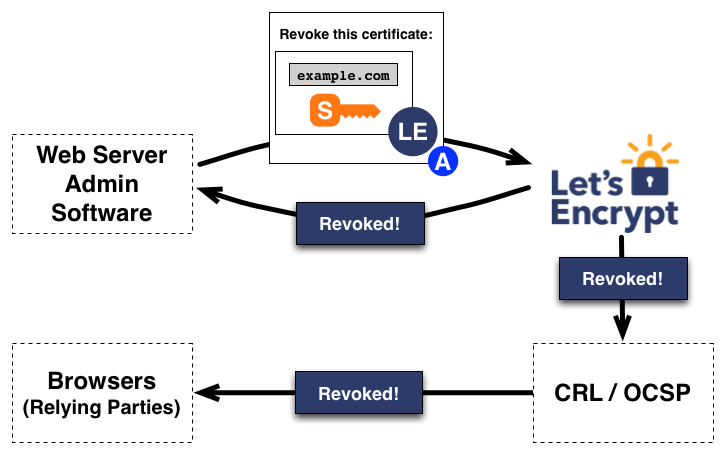
If the private key of a certificate is stolen, it needs to be revoke. However, the subject can't change their own certificate. Instead it needs to be marked as revoked.
Certificate Revocation List (CRL)
CA has a list of all revoked certificate (the Certificate Revocation List - CRL) and the browser needs to check if a certificate is on this list.
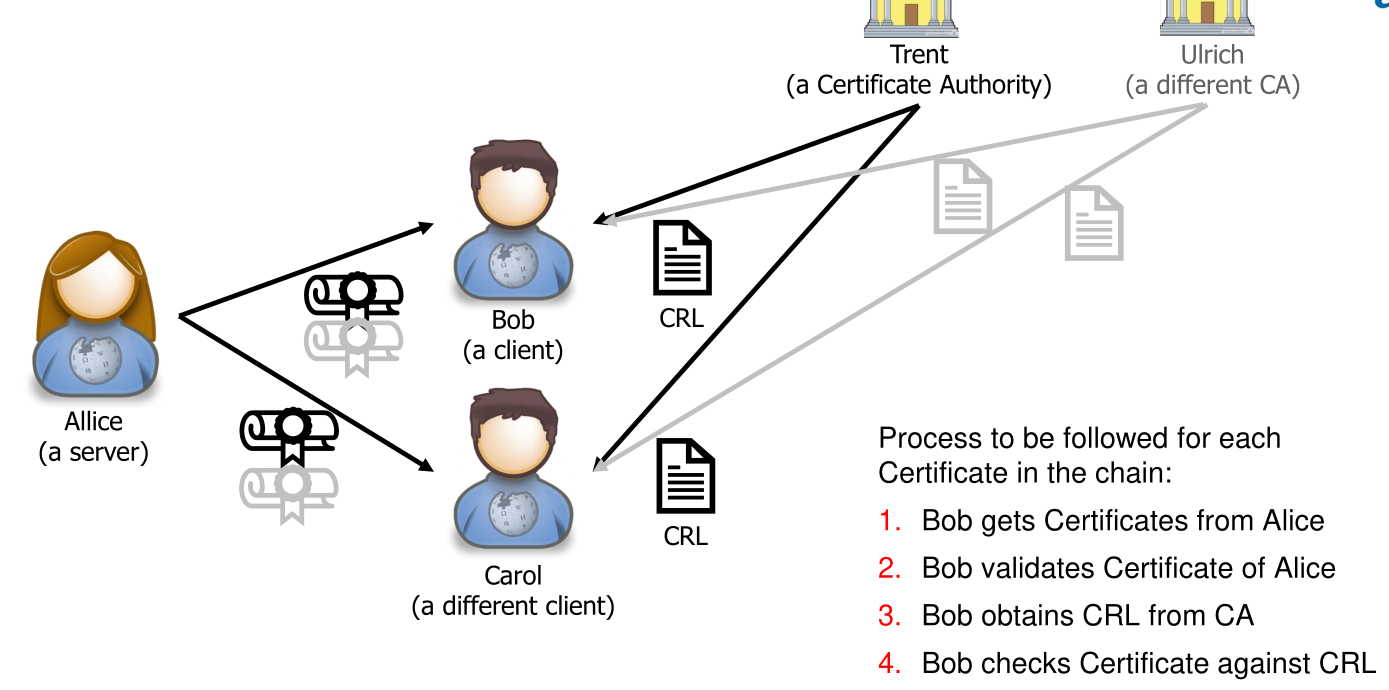
To check the validity, for each certificate in the chain a CRL needs to be downloaded and checked if the certificate is not on it.
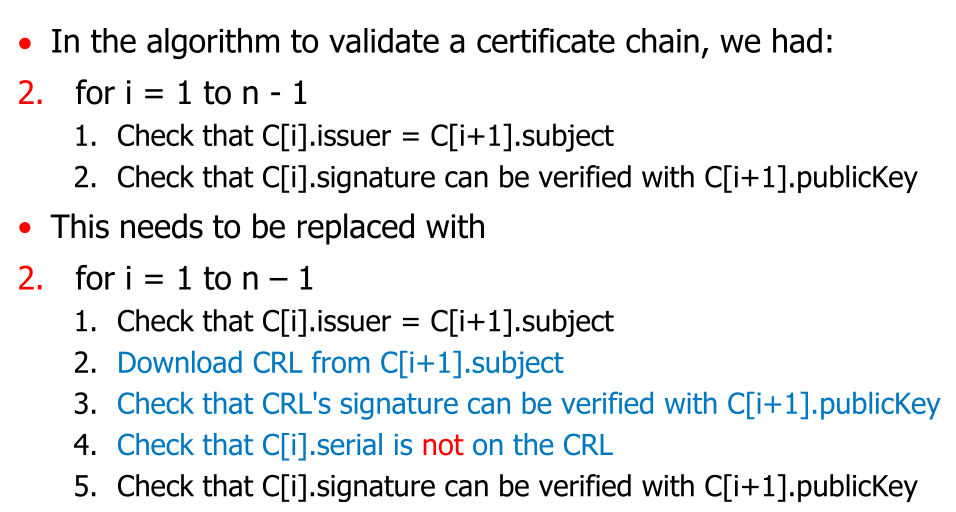
However, the CRL is downloaded with HTTP, not HTTPS
- CRLs are updated only every couple of days; there is a time window between revoking a certificate and finding it on the list
- Can’t remove a cert from CRL, even when it is expired, since you may need to check if a signature was made with a key that was revoked even though it was still valid (e.g., last will and testament)
- Sometimes, many certs go onto a CRL in a short amount of time, e.g., Heartbleed
- CRLs only get larger, delay / scalability issue for CRL download
- Due to these limitations, support for CRL downloading is getting smaller, CAs not provide them anymore, many programs no longer use them
Online Certification Status Protocol (OCSP)
Alternatively there is the Online Certification Status Protocol (OCSP). Every certificate comes with an URL where the browser can check if the certificate is still valid. This is done over HTTP, but the answer is signed with the private key of the CA and can be trusted.
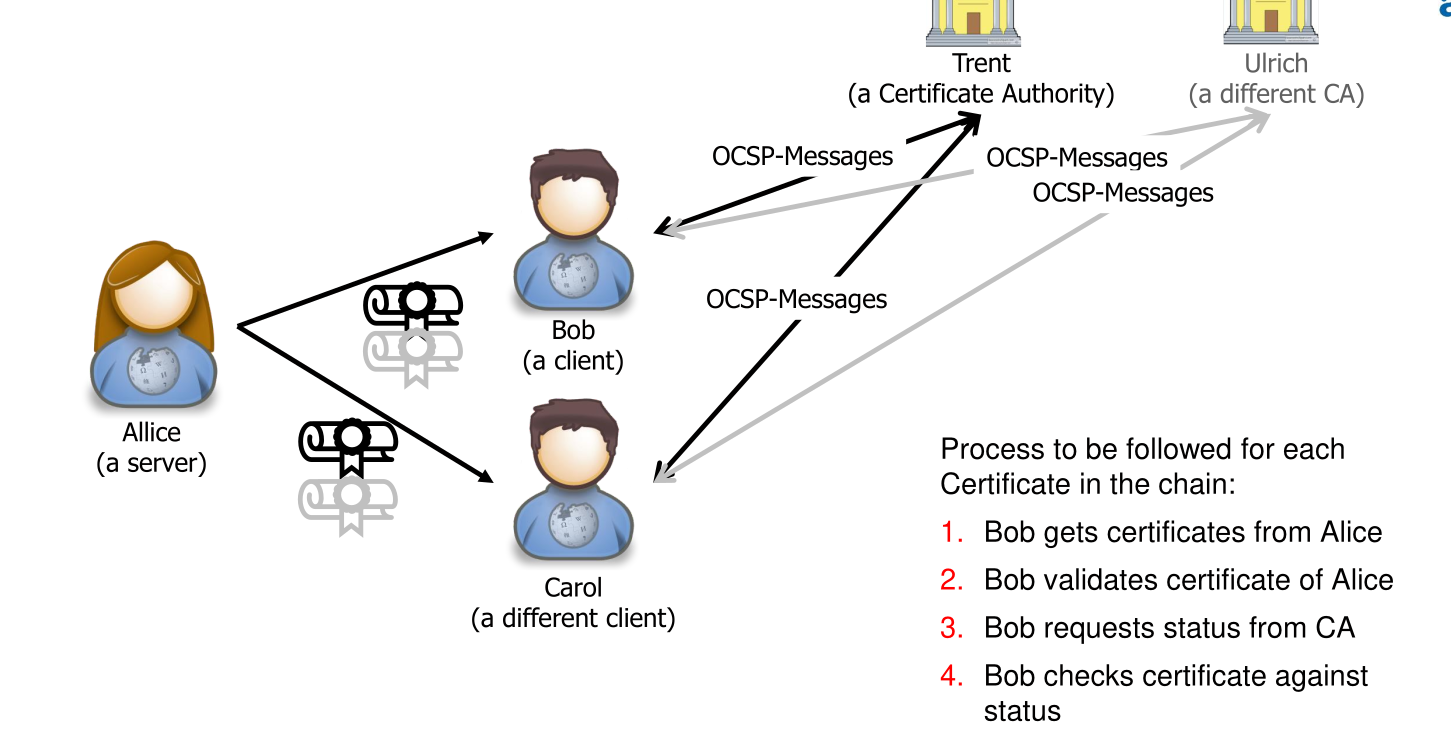
- Advantages compared to CRL:
- Fresh status information about a certificate
- Only little information is exchanged
- Disadvantages
- There is a privacy issue as the CA can see who vists which server
- The OCSP must always be available
- Most client implement a soft fail. If OCSP response is not received in time then a certificate is treated as good
Those issues were tried to be fixed with OCSP Stapling. Here the server queries the OCSP-Responder and caches the answer. The client will receive the OCSP-response from the server itself. This has a timestamp in it and is signed with the private key of the CA.
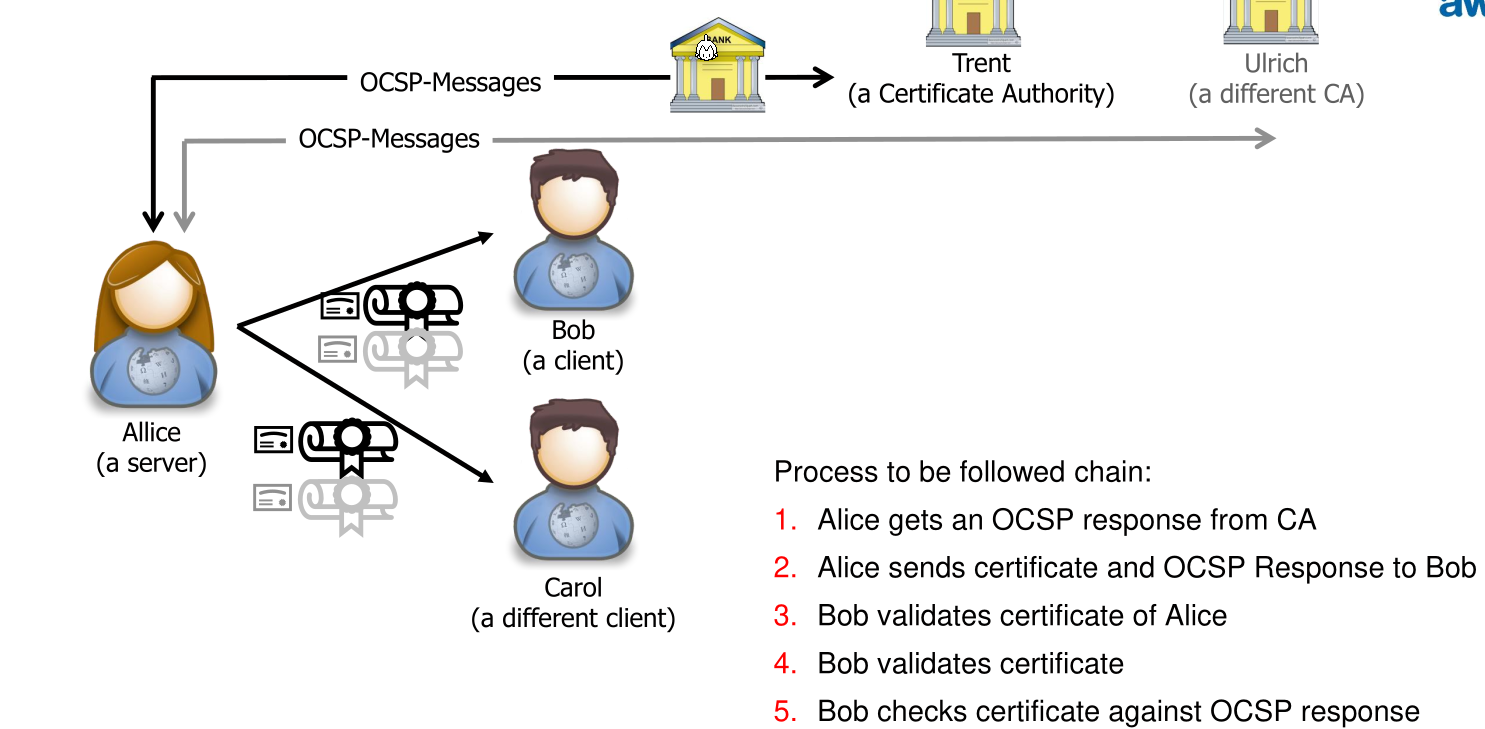
Benefits of this are:
- Less dependent on the availability of the OCSP-responder as if it cannot be reached, the server can still use the cached copy
- Scalability
- The privacy issue is solved
Issues of this are:
- There is a validity period of a OCSP response
- If no valid OCSP response is cached, the server won't include one. If the client can't reach the OCSP endpoint it will default to a soft fail.
There is a third alternative, OCSP must-staple, in which the certificate is rejected if no stable is included (hard fail). This reintroduces the DOS problem of OCSP (without stable). The must-staple flag is included in the sent certificate.
With Browser-Summarized CRLs, where browser vendors download CRLs centrally and compress this with a bloom filter. The browser vendor push regular updates (every 6h) to the client.
Root Certificate Revocation
To revoke a root certificate, every library and application, which bundles root certificates, need to be updated. All certificates, issued by a revoked root certificate, need to be revoked as well.
Let's Encrypt
The following shows how Let's Encrypt verifies the domain owner ship. This is done, by generating a key pair. One value is kept on the server accessible the other is sent to Let's Encrypt.
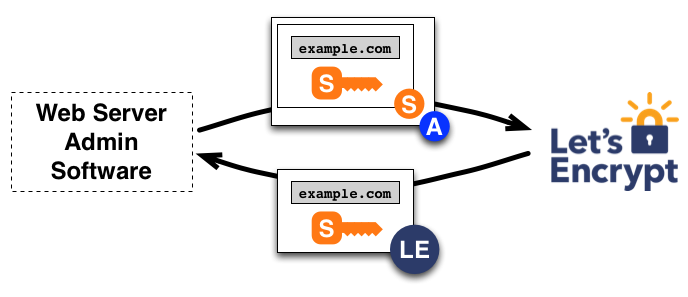
Let's Encrypt uses both browser-summarized CRLs and OCSP.